
CBS Sports: Watch Live
CBS Interactive, Inc.Sports
2.515.00 Reviews
- Version
- 8.6.0-1792675408
- Installs
- 100.00K
- Age Rating
- Everyone
Screenshots
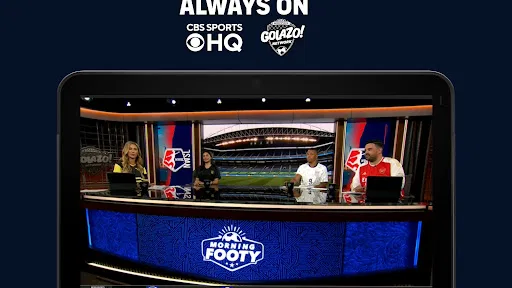
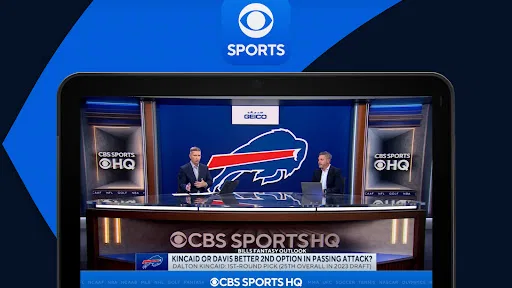




Our Review of CBS Sports: Watch Live
 Analysis by Appyee
When I want sports playing in the background rather than a single match demanding my full attention, CBS Sports: Watch Live takes a useful approach: it gathers live and around-the-clock sports programming connected with CBS, CBS Sports Network, Paramount+ and related coverage in one Android app. I found the main appeal less about discovering a huge collection of tools and more about reducing the number of places I need to check when I want to see what is on.
This is a free sports app from CBS Interactive, Inc., aimed at an Everyone audience. It is available for devices running Android 5.1 or newer, and its current version is 8.5.0-1778611341. The app has passed the 100K+ install mark, although its average rating is a modest 2.4 from around 84 ratings, with roughly 14 written reviews. That contrast matters: the concept is convenient, but the experience may depend heavily on how well the available content matches your expectations and how smoothly the app behaves on your particular device.
Why the live sports hub matters
The defining capability here is live access to sports programming rather than a simple news feed or score tracker. I see the app as a viewing doorway: instead of opening a general television app, searching through a separate sports channel, and then checking another service for related coverage, I can begin with one sports-focused destination and see what CBS-related programming is available.
That sounds straightforward, but it changes the way I use the phone. A score app is better when I only need a result. A league-specific app is often better when I want deep statistics, standings, alerts, or team features. CBS Sports: Watch Live is more useful when my priority is watching sports content, especially when I am not sure which program I want to follow before opening the app.
The 24/7 angle is important because it gives the app value outside the exact start time of a major event. I can open it for live coverage, then leave it available while other sports programming continues. That makes it a better companion for a television in the background than a conventional score-centered application. It is also a reasonable option for someone who wants a single place to begin browsing CBS sports coverage without committing immediately to a particular competition.
There is a practical distinction between “a place to watch” and “a complete replacement for every sports service.” I would not treat this app as a universal pass to every event. Its role is tied to the programming available through the CBS ecosystem and the viewing access offered in the app. If your main goal is a complete archive, a specialist league experience, or a single team’s entire season, another service may fit better.
What I noticed about the viewing-first design
The most useful mental model is to open the app with a question such as, “What sports coverage can I watch right now?” rather than, “Can I manage every detail of my favorite team here?” That difference helps avoid disappointment. The app is strongest as a live-content starting point, not as a replacement for every sports utility on a phone.
I also like this approach for casual viewers. Someone who follows several sports but does not want a separate application for each one can benefit from a broader entry point. The trade-off is that a broad hub can feel less personal than a team app. A dedicated alternative may take me directly to my club, show tailored alerts, and put standings or player information first. Here, the advantage is breadth of viewing context, while the weakness is that I may need to spend more time deciding what is relevant.
For that reason, I would install it alongside—not necessarily instead of—a score or news app. The two serve different moments. I use a score tool when I am in a hurry, and I use this one when I have time to watch or browse live programming.
How it works in an everyday viewing routine
My preferred workflow begins before I actually need the app. I keep in mind that live viewing is more demanding than reading a score: the phone needs a stable connection, the screen has to remain comfortable to watch, and interruptions can be more annoying than they are in a text-based app. Opening the application a little before I want to watch gives me time to identify the relevant programming instead of starting at the exact moment an event begins.
The practical benefit of bringing CBS, CBS Sports Network, Paramount+ and other related content into the same viewing context is that I do not have to remember which brand might carry the program. That is especially helpful when I follow sports irregularly. I may know I want sports coverage, but not know whether the content belongs to a network stream, a broader channel lineup, or a connected Paramount+ offering. The app gives me a more natural place to start.
One tip I would give new users is to treat the app as a browsing tool first and a destination second. Rather than opening it only for a specific event, look at what is currently available and decide whether the live stream suits the moment. This works well during a lunch break, while waiting for an appointment, or when I want background coverage at home. It also makes the 24/7 aspect more meaningful than simply checking for one scheduled broadcast.
A second useful habit is to separate “watch now” needs from “follow later” needs. If I am trying to remember a result, I would not open a live-video app as my first choice. If I want to spend time with coverage, analysis, or an ongoing sports channel, this app makes more sense. Choosing the right task before opening it saves time and keeps the experience from feeling slower than a lightweight scores application.
A third consideration is the device itself. Android 5.1 support makes the app accessible to people using older compatible hardware, but live video can still feel more comfortable on a newer phone or a larger screen. The minimum operating-system requirement tells me the app can be installed on older Android versions; it does not make an older handset ideal for extended viewing. I would test a short session before relying on it for a long event.
A realistic evening with the app
Imagine I get home without having followed the day’s sports news. I do not want to search several services, read a long list of headlines, or decide in advance which league deserves my attention. I open CBS Sports: Watch Live to see whether current CBS-related programming gives me something worth watching. If there is a live option that matches my interest, I can settle in. If not, I have learned quickly that I should switch to a score app, a league service, or another streaming option rather than waste time navigating.
That is where the app’s convenience becomes real. It can shorten the discovery stage. I am not promised that every desired event will be available, but I have a focused starting point for sports viewing. For a household where one person wants sports on in the background and another prefers general entertainment, that focused entry can also be easier than searching through a broad entertainment catalog.
On the other hand, I would not recommend using it as the only preparation for an important match. If missing the opening moments would be frustrating, I would verify the intended viewing route ahead of time and keep an alternative source available. Live viewing is inherently less forgiving than checking a score, and the app’s value depends on the particular content I am trying to reach.
The trade-offs behind a free live-sports app
The free price is an obvious advantage for someone who wants to try the service without adding another subscription immediately. It lowers the barrier to testing the interface and seeing whether the available CBS sports programming fits a person’s habits. For occasional viewers, that may be enough to make the app worthwhile even if it is not used every day.
Free access also creates a more complicated expectation. I would not assume that installing the app automatically gives me unrestricted access to every piece of sports content associated with the CBS name or every program connected with Paramount+. The app brings these viewing destinations together, but access can still depend on the particular stream and the viewing arrangement behind it. The sensible approach is to regard the application as a convenient gateway, not as a guarantee that every desired event is included at no extra step.
That is the central trade-off: the app can simplify discovery, but it cannot remove the boundaries of sports rights and service access. A dedicated paid platform may be the better choice for someone who has one competition they never wants to miss. In contrast, this app is more appealing when I value variety and a low-cost way to explore what is available.
The average rating of 2.4 should also influence expectations. I do not read that number as proof that the app is unusable, but I do take it as a reason to be patient during installation and initial testing. Ratings can reflect different devices, different expectations, and different viewing situations, yet a low average still tells me that the experience has not been consistently satisfying for everyone. I would try it during an ordinary viewing session before depending on it for a major occasion.
Another trade-off is attention. A live sports application can be more engaging than a score screen, but that also means it may use more battery, data, and screen time than a text-based alternative. I would use Wi-Fi for longer sessions when possible and avoid assuming that a short mobile-data plan will feel the same as a home viewing setup. These are not reasons to reject the app; they are practical limits of choosing video over quick information.
Where competing app types can be better
If I care most about instant results, a score-focused app is usually the smarter tool. It can answer a question quickly without asking me to watch a stream. If I care about one league’s schedules, rosters, standings, and official team news, the league’s own application may offer a more organized experience. If I want a large entertainment catalog with sports as only one part of it, a general streaming service may be easier to manage.
CBS Sports: Watch Live wins when the decision is, “I want sports video now, but I am open to what is being shown.” It loses when the decision is, “I need one exact event, complete historical context, and personalized team information.” Understanding that distinction is more useful than simply calling the app good or bad.
I also would not choose it solely because it is from a familiar media company. The developer is CBS Interactive, Inc., but the name alone does not determine whether the app suits my viewing needs. I judge it by the available programming, the ease of reaching that programming, and whether the live experience works reliably on my device.
Who gets the most value from it
The best audience is the flexible sports viewer: someone who enjoys watching CBS-related coverage, follows more than one sport, and wants a free place to begin. It also suits people who prefer live programming to reading updates and who appreciate having CBS, CBS Sports Network, Paramount+ and related content represented within one sports-oriented experience.
It can be particularly useful for a casual fan who does not want to maintain several league apps. Instead of building a phone around every sport separately, that person can use this app for viewing and keep one lightweight scores tool for quick checks. That combination is more efficient than expecting one application to do everything equally well.
People who should skip it are equally clear. I would look elsewhere if I needed a guaranteed route to a specific event, a deep team dashboard, extensive statistics, or a highly personalized alert system. I would also hesitate if my internet connection is unreliable or if I mainly consume sports through brief text updates. In those cases, the live-video focus may add friction rather than value.
The Everyone content rating makes it approachable for general household use, but that does not mean every family member will find the same value in it. A child looking for a simple game, a fantasy player tracking individual athletes, and a fan seeking continuous sports coverage all have different needs. This app is designed around watching programming, so that should remain the deciding factor.
With around 100K+ installs, it has found a real audience, but it is not so widespread that I would assume it is the default choice for every sports viewer. The modest rating reinforces my recommendation to test it personally. Since it is free, the cost of trying it is low; the more important cost is time spent searching for content that may not match the exact event or sport I had in mind.
My recommendation after using it
I recommend CBS Sports: Watch Live as a practical live-sports hub, not as an all-purpose sports command center. Its strongest verified capability—bringing continuous CBS-related sports viewing into a focused app—has a clear everyday effect: it makes the first step of finding something to watch easier. That is genuinely useful when I want sports on without planning the entire viewing session in advance.
My advice is to install it if you are comfortable exploring live programming and want a free way to check CBS sports coverage from an Android device. Open it before an important event, test the stream on your usual connection, and keep a score app available for moments when you only need information. Those small adjustments make the experience more dependable and prevent the app from being judged against a tool built for a different job.
I would not make it my sole sports service, especially with an average rating of 2.4 and the natural limits of a live-content hub. Still, for the right viewer, the convenience of starting one sports app and browsing live coverage can outweigh its lack of specialist depth. If your ideal evening is choosing from current CBS sports programming rather than managing one team in detail, this free app is worth a fair trial.
Privacy and Permissions
See what permissions an app requests and how it handles your data.
- Wi-Fi connection information
- view Wi-Fi connections
- Other
- view network connections, allow Wi-Fi Multicast reception, full network access, run at startup, prevent device from sleeping
Verdict
Strengths of CBS Sports: Watch Live
- Live coverage of major U.S. sports events and leagues
- Personalized alerts help you follow favorite teams and games
- Scores, schedules, standings, and news are easy to find
- Video highlights and expert analysis add useful context
- Supports casting to compatible TVs for a larger viewing experience
Limitations of CBS Sports: Watch Live
- Many live streams require a participating TV provider subscription
- Some content is restricted by regional broadcast rights
- The app may send frequent notifications unless settings are adjusted
- Video quality can vary with network speed and device performance
- Advertisements may appear during free news and video content
Other Releases by CBS Interactive, Inc.
View All
Paramount+
Entertainment2.7

Paramount+
Entertainment4.1

CBS Sports: Live Scores & News
Sports4.5

CBS
Entertainment3.8
Similar Picks in This Category
View All
BeSoccer: Soccer Live Score
BeSoccer apps4.3

Cricbuzz - Live Cricket Scores
Cricbuzz.com3.7

NFL
NFL Enterprises LLC2.4

Da Fit
MO YOUNG LIMITED3.6

ESPN
Disney4.5

LiveScore: Live Sports Scores
LiveScore Limited4.5
Frequently Asked Questions
What is CBS Sports: Watch Live used for?
CBS Sports: Watch Live is designed for following live sports coverage, scores, schedules, news, highlights, and analysis in one place. Depending on your location and the current broadcasting rights, the app may offer live events from CBS and related sports networks, along with on-demand video clips. Available content can vary by sport, region, subscription, and television provider.
Can I watch live games for free in CBS Sports: Watch Live?
The app can be downloaded and used to browse scores, news, schedules, highlights, and selected video content without necessarily paying. However, many live events require an eligible television provider login, a participating streaming subscription, or access to a specific CBS service. Before downloading, check the event details and your local availability because free access is not guaranteed for every game or competition.
Which sports and competitions are available in the app?
CBS Sports: Watch Live commonly covers major American sports and competitions, including NFL coverage, college sports, golf, soccer, basketball, baseball, and other events featured by CBS Sports. The exact lineup changes throughout the year and depends on broadcasting agreements. Some content may be limited by country, while certain tournaments or games may require a separate subscription or provider authentication.
Do I need an account, cable subscription, or streaming service to use it?
You can generally open the app and explore articles, scores, standings, schedules, and selected clips without signing in. Live streaming access is more restricted: some broadcasts may ask you to authenticate with a participating cable or satellite provider, while others may be included with a supported streaming plan. Creating an account can also help personalize alerts, teams, and favorite sports.
Does CBS Sports: Watch Live work on phones, tablets, and connected TVs?
The app is intended for supported Android and iOS phones and tablets, although compatibility depends on the operating system version and device model. In some cases, CBS Sports content may also be available through supported connected-TV platforms or casting features, but the experience and live-stream availability can differ. A stable Wi-Fi or mobile-data connection is recommended for smooth playback.
